
Ticket/task predecessors
TopLeft now shows project ticket/task predecessors!
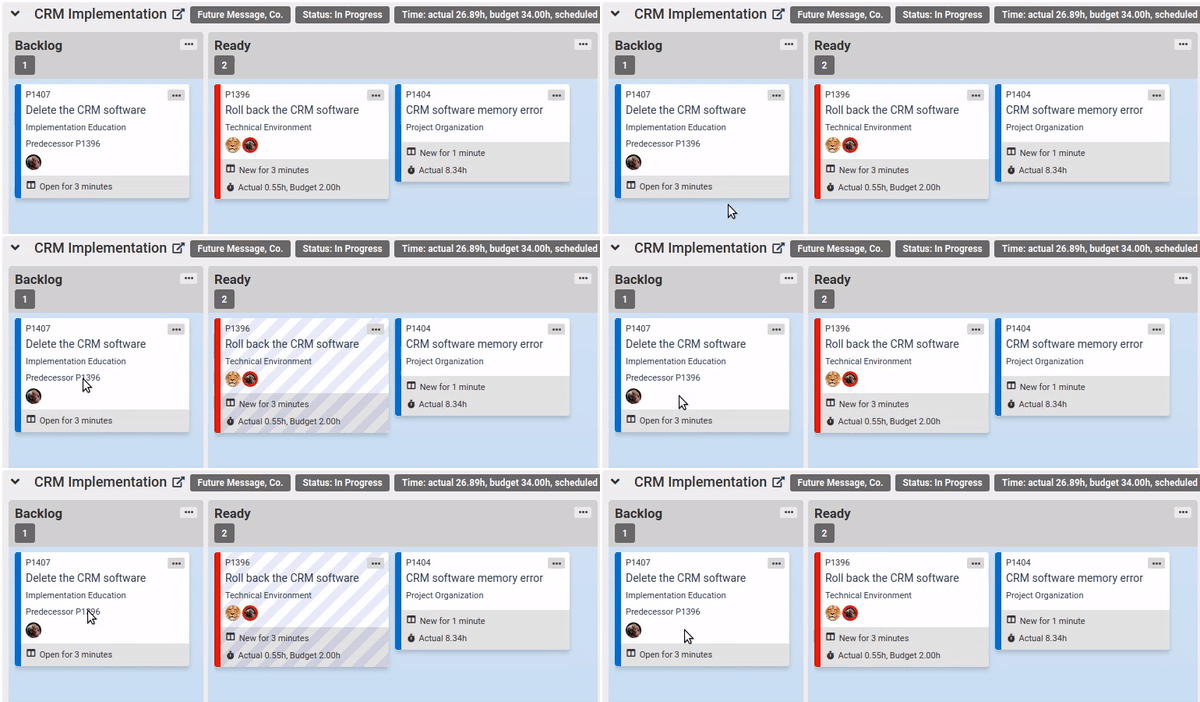
This helps you visualize the relationships between project tickets. When a ticket has a predecessor, the predecessor ID is shown on the card, and the predecessor's styling is changed when you hover over the field so you can quickly locate the predecessor on the board.
To show predecessors, you should:
- Set up the predecessor records on the tickets in ConnectWise or tasks in Autotask
- Edit the Kanban board- enable the "Show predecessor" option.
That's it!
Additionally, ConnectWise customers who use style customization can make use of the new "Ticket predecessor is in a closed status" condition.
Precessors are shown when the predecessor is a ticket/task. PSAs also support predecessors that are project phases, but at this time TopLeft doesn't show phase predecessors.
Comments
No comments yet.