
TopLeft App Updates - Jan/Feb 2022
Here are a few things we've improved in the TopLeft Kanban app in January and February.
In addition to these improvements, in this period we dedicated two weeks to experimenting and prototyping a new Kanban app with completely new technologies. The results were great and we're excited to use these technologies in 2022 to make Kanban much, much better. Stay tuned.
Improvements
Visualize your workflows in a whole new way- with cumulative flow diagrams, cycle time scatterplots, aging charts, and other agile charts from Nave. Nave already integrates with Trello, Jira, and other Kanban tools, and can now be used to give you extra insight from your TopLeft Kanban boards. For more information, join us for the launch webinar on March 15 or read the blog post.
Get new TopLeft users onboard faster with onboarding progress help.
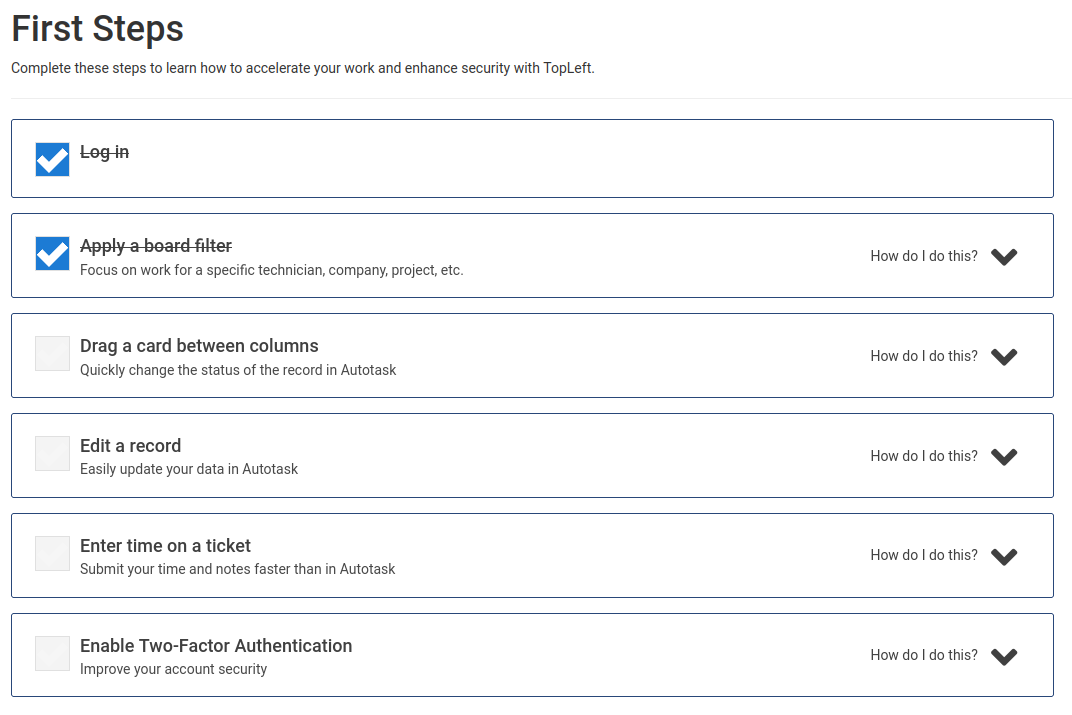
There's also similar onboarding progress help for system-wide configurations for new customers.
New customers can use self-serve in-app options to subscribe to TopLeft at or after the end of their trial. In the near future this will be expanded to offer subscription and payment management for all customers.
TopLeft now by default keeps closed/completed tickets for 24 hours before removing them from the app. Customers who had the prior defaults (immediate removal for ConnectWise, or 8 hours for Autotask) have been updated to use the new settings.
ConnectWise
- The ticket time entry screen shows the contact name and assigned members.
Autotask
- When impersonating a user for Autotask API requests, the limits of the current user's role are respected. For example, tickets can't be closed if a user's security role doesn't allow it.
Bug Fixes
- Fixed an issue with the ConnectWise API that impacted territory filtering.
Comments
No comments yet.