
In Client Portal, contacts can drag cards
Now in the Client Portal, when your clients have direct access to Kanban boards you can allow them to drag cards between columns.
Here are some ways your clients can use this:
- to indicate they have completed some of their own work on a project
- to release work into a queue and to rank it in the queue
- to indicate they've reviewed work and accept it as complete
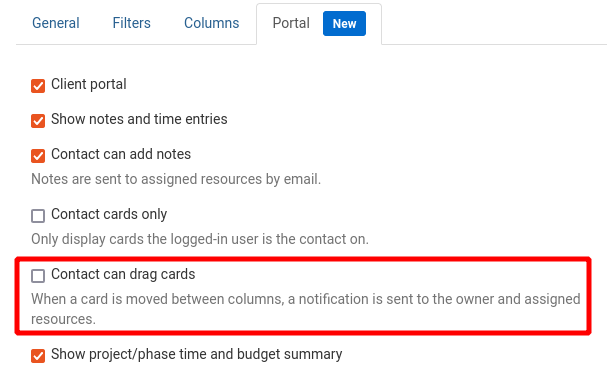
When a client moves a card between columns, TopLeft sends an email to members who are assigned to or who own the ticket.
When this option is enabled, clients can drag between any of the columns on the Kanban board. You may want to limit them to only certain columns of the board. To achieve this, you can have a main client portal board with all columns but the drag/drop option disabled, and then offer a second board with the drag/drop option enabled but having only the columns you want your clients to be able to change.
To enable the option, edit the board and on the Portal tab check the "Contact can drag cards" field.
Comments
No comments yet.