
Option to Disable Technician Notification Dialog
About a month ago we introduced a way to notify technicians by email when you assign them to a ticket. This worked in both the assignment forms and when dragging tickets between member swimlanes.
However in the case of dragging between member swimlanes to assign work, this meant the notification dialog always appeared after dropping a card into a swimlane. Not everyone needed this functionality.
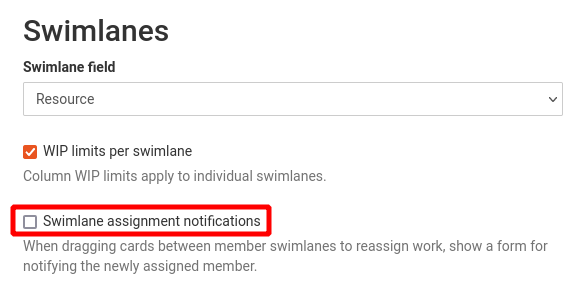
Now there's a way to disable the notification dialog when assigning tickets by dragging and dropping. To disable this for a Kanban board, edit the board and disable the "Swimlane assignment notifications" option in the swimlane section. You can have the notification option disabled for some boards and enabled for others.
Comments
No comments yet.