
Autotask
Keyboard shortcuts for Autotask users
Autotask users can now use keyboard shortcuts to open the new ticket editing dialog.
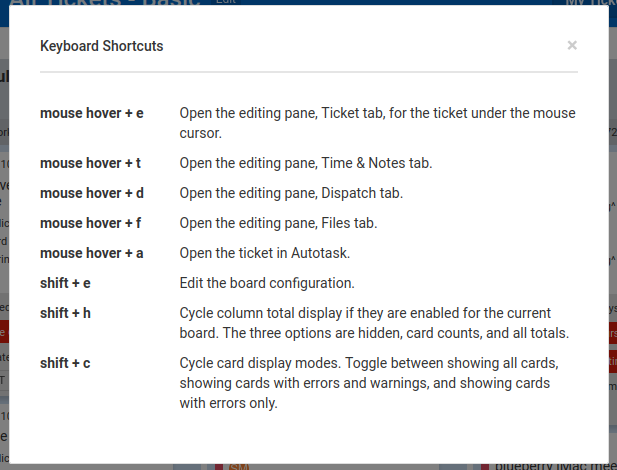
Just hover your mouse cursor over a card and press the appropriate key for the editor tab you want:
- Ticket tab, press e
- Time and Notes tab, press t
- Dispatch tab, press d
- Files tab, press f
Or to open Autotask to the ticket, press a.
If you forget the shortcuts, just hover over the buttons in the button bar to see the tooltips. Or choose Help > Keyboard Shortcuts from the main menu.
Comments
No comments yet.