
Autotask
Improved Project Task Editing for Autotask
We've brought improved project task editing to our Autotask users in TopLeft. Instead of needing to open multiple dialogs to edit various things about project tasks in TopLeft, now you can edit tasks in a single dialog with tabs for the key sections.
You can edit key task details, enter time and notes, assign and dispatch engineers, and view file attachments.
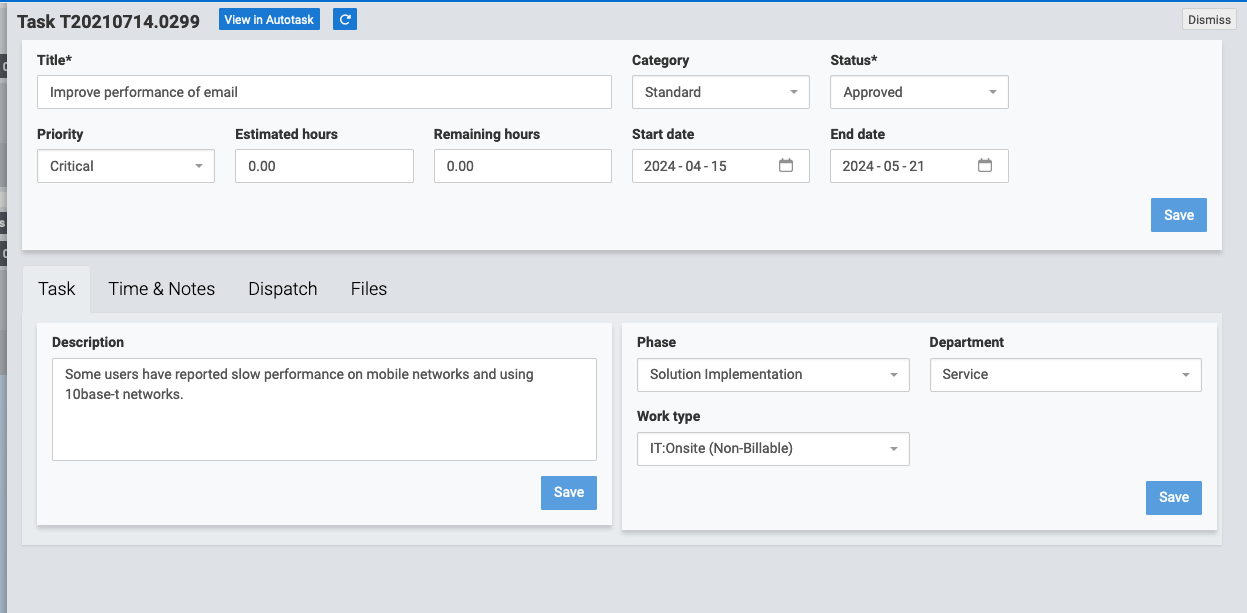
To open the editor, just click anywhere on a card.
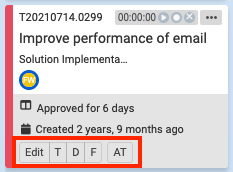
There are also buttons available on cards that permit opening specific tabs of the editor with a single click, as well as opening the ticket in Autotask with one click.
Finally, you can also open the editor using keyboard shortcuts.
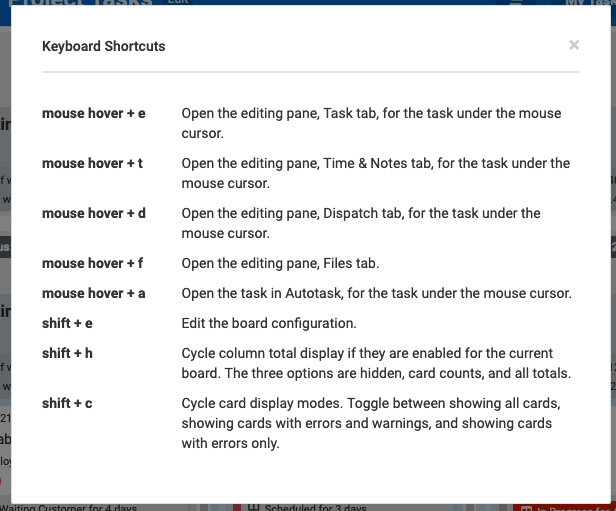
The keyboard shortcuts documentation is available under the Help menu, Keyboard Shortcuts item.
This editor was already available for service tickets and is now used for project tasks.
Comments
No comments yet.