
New Filters and Functions
We have a few improvements to announce.
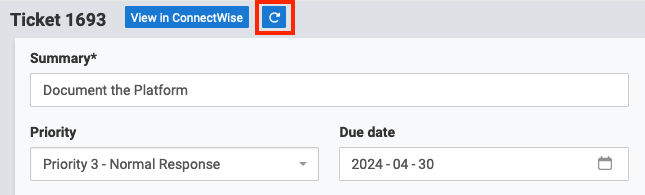
Refresh Ticket Button
Sometimes a ticket is updated in the PSA while you already have the ticket open in TopLeft. Previously, to refresh the ticket in TopLeft you had to close and re-open the editor. Now you can just click the Refresh button, and all panes in the editor will reload.
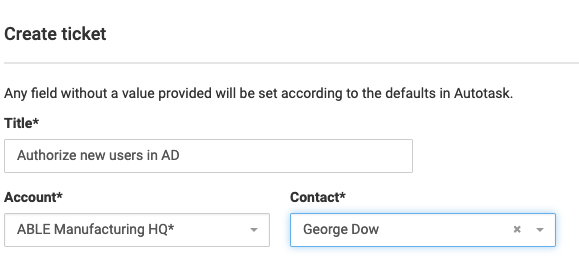
Set Contact When Creating Tickets
When you create a ticket or task in TopLeft, now you can specify the contact. This is useful so that a company's default contact is not sent the "new ticket" emails from your PSA for every ticket you create in TopLeft.
Gantt Chart Filtering
Previously, when you viewed a Gantt chart for multiple projects, you would see all the projects from the Kanban board, even if you had applied temporary page filters. Now the temporary page filters are used on the Gantt chart, so you see the same projects on the Gantt chart that you saw on the Kanban board.
This is a big help when you're using a Kanban board that shows many projects, but for your Gantt view you only want to see a limited set of projects.
We also made big performance improvements to the Gantt chart for multiple projects.
ConnectWise Company Type Filter for Tickets
For ConnectWise users, you can now filter Kanban boards based on the Company Type field of a ticket's company.
This is really useful if you used the Company Type field to indicate the pod responsible for the company. You could use this new filter to set up a Kanban board for all the work a pod is responsible for.
Comments
No comments yet.