
Clients Can Edit Projects in CloudRadial
TopLeft integrates with CloudRadial to make it fast and easy to communicate with your clients about projects.
We've just made the integration much better.
Your clients can now edit project tickets/tasks in CloudRadial, in the same way they can do so in our built-in client portal.
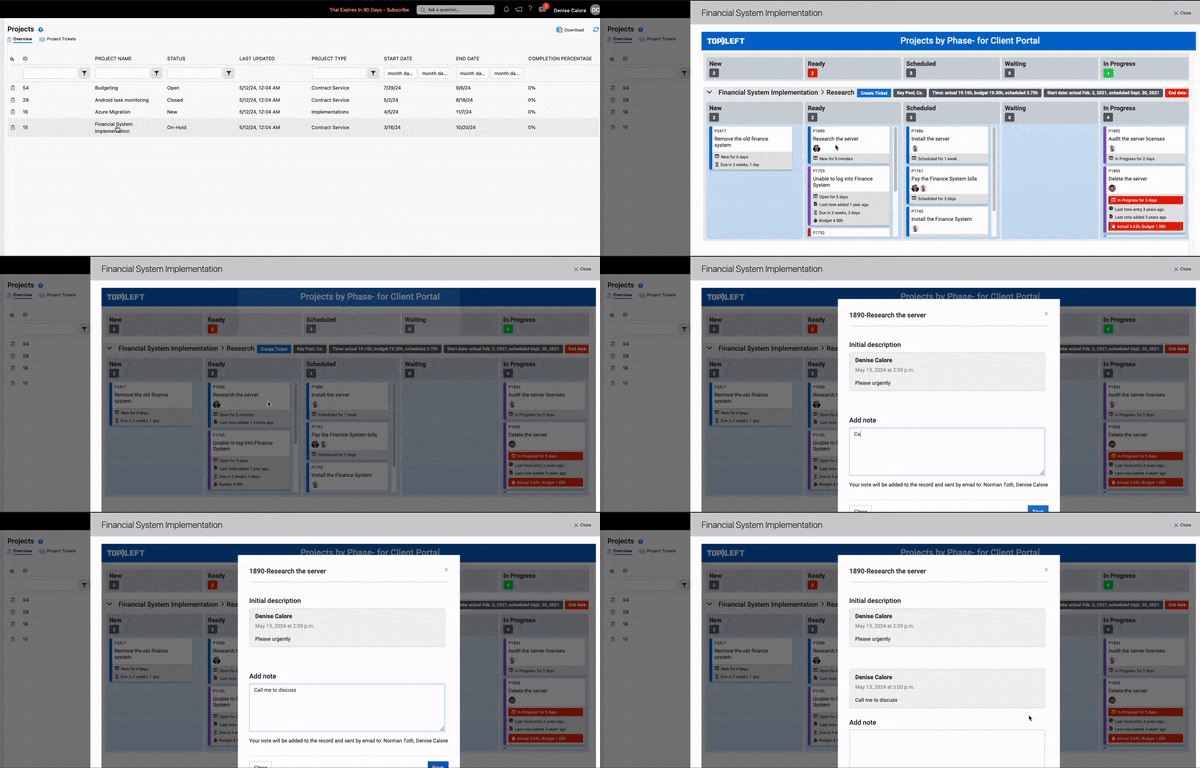
Clients can make these changes:
- Change ticket status by dragging a card to a different column
- Add a note to a ticket. This emails the engineer(s) assigned to the ticket.
- Create a new ticket. Clients can choose the ticket description, content and project phase, but can't choose the status, priority, type, or other options- these are set by the TopLeft administrator.
These changes are only permitted if you choose to allow them in the board configuration.
To let your clients update projects in CloudRadial, follow the steps in the knowledgebase article.
We also have a knowledgebase article about setting up CloudRadial access.
Comments
No comments yet.