
Visualize Resource Scheduling with Gantt Member Grouping
We've introduced a new variation of our Gantt charts to help you visualize how team members and managers are scheduled.
When you're viewing the Projects Timeline, showing how your top-level projects are scheduled, now you can group the projects by their Manager/Lead. This makes it clear how the projects are scheduled for each person when you have multiple managers.
Just click "Group by: Manager" on the Gantt page to view it this way.
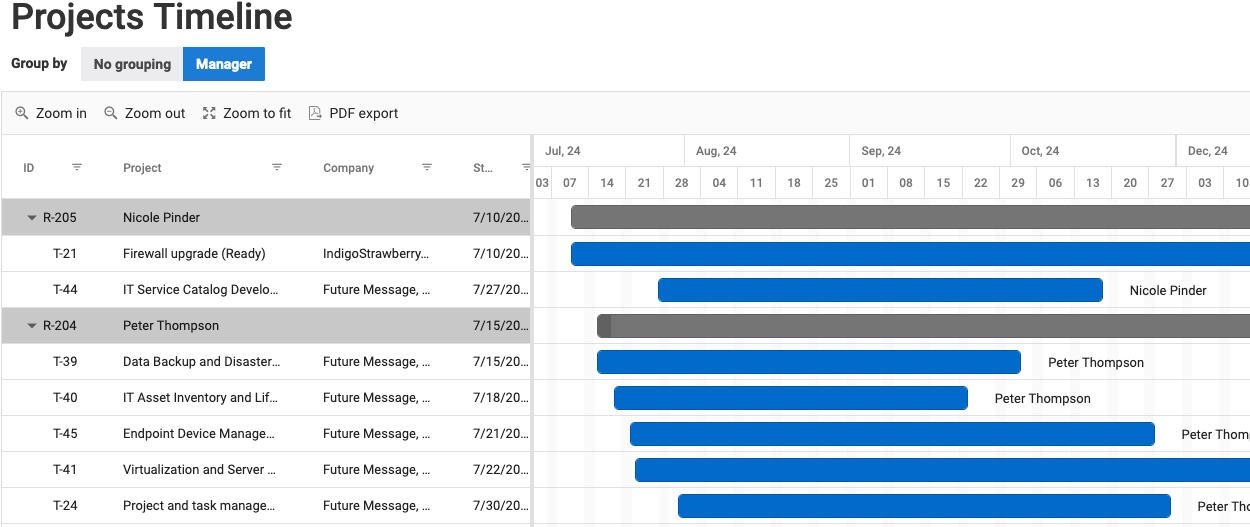
Similarly, when you're viewing the Gantt chart for tasks of multiple projects you can now group them by member. Just choose "Group by: Resources".
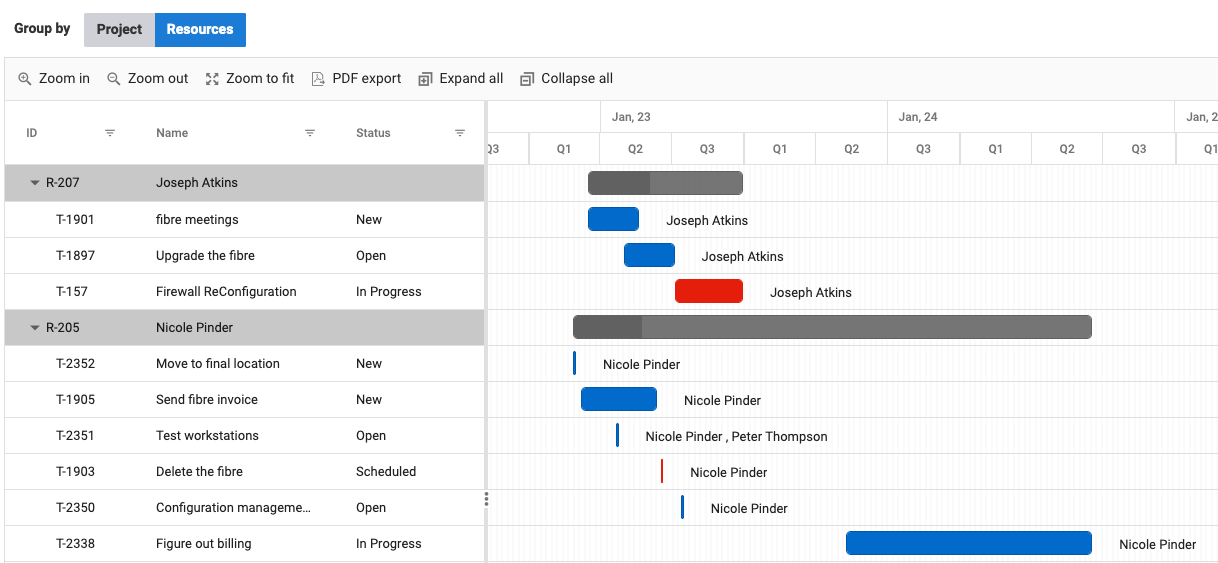
With this view, you can see all the project work scheduled for each team member, making it easy to spot periods where too much or too little work is scheduled for a member.
As a reminder, Gantt charts are now available to all licensed users, not just those with Manager licenses. We'd love to hear what you think about the improvements we've made to Gantt charts over the last few months.
Comments
No comments yet.