
ConnectWise
Show Tickets Based on Company Team Membership in ConnectWise
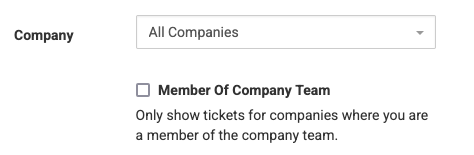
Those who use TopLeft for ConnectWise now have a new way to filter the tickets that show up on a Kanban board. You can select tickets where you are a member of the ticket's company's team in ConnectWise.
This limits the tickets on your board to only those for companies you are responsible for. It's especially useful for account managers or project managers.
To use this filter, click Filters in the main menu:

Then just enable the "Member of Company Team" option.
When you apply the filter, you can bookmark the resulting page to quickly return to the board with the filter already enabled.
Comments
No comments yet.