
Skip to content
TopLeft
Menu

Autotask

Customize note types shown for tickets

For Autotask customers, you can select the types of notes you see in a ticket's Show Notes dialog.

To view and change the settings, administrators can click Admin in the main menu, then Note Options.
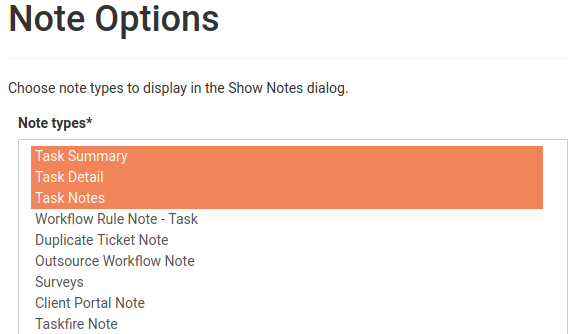
This can help your team stay focused on the most important notes. The setting applies to all users.

Comments

    The first time, we email you a link to confirm. After that, this browser remembers you.

    Like

    We email you a link once. After you click it, this browser remembers you on every docs page.

    Feedback on this page

    Fix or keep
    What kind

    Tip: select words on the page before you open this, and they come with your note.

    Optional, up to 5. Paste into the box above, or drop them here.

      They go into the GitLab issue. Crop out anything private.

      See every note and what happened to it