
ConnectWise
Merge ConnectWise tickets in TopLeft
Users of TopLeft for ConnectWise can now merge tickets. TopLeft needs additional API permission to do this- see below.
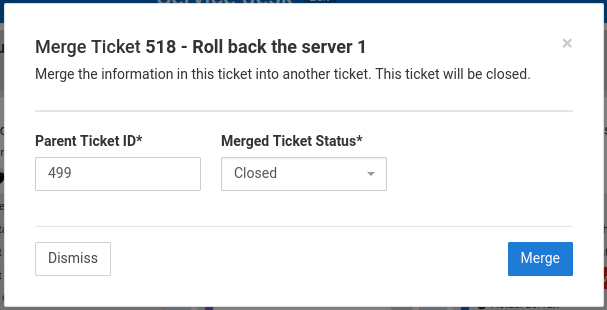
Merging tickets is useful when duplicate tickets have been opened for a single issue. You can easily pull the information from one ticket into another ticket and then close the ticket.
To merge a ticket into another ticket, find the ticket on a board, click the ticket's "..." menu, then click Merge Ticket. Enter the ticket ID of the ticket which will receive this ticket's information and remain open, and select the closed status to which this ticket should be set. Then click Merge. That's it!
This is available in Standard plan.
New ConnectWise permissions needed
For this functionality, the TopLeft API member needs these additional permissions:
Service Desk/Merge Tickets: Add: All; Edit: None; Delete: None; Inquire: All.
See the knowledgebase for more details on setting up API permissions.
Comments
No comments yet.