
AnnouncementConnectWise
Edit ConnectWise Tickets In a Single Place
As a TopLeft user, you're probably very familiar with this menu:
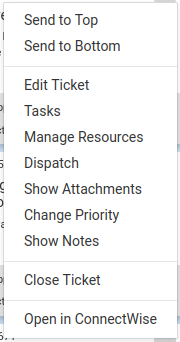
This is how you've always edited various things about tickets. But it wasn't the best experience. If you wanted to edit the ticket budget hours and enter a new time entry, you needed to do part of the job in one place and part of the job in a completely different place. Or if you wanted to refer to existing notes while you wrote a new note... well, you couldn't.
But now you can. We have updated TopLeft for ConnectWise so that all the changes you can make to a ticket are available in a single place.
https://8173515.fs1.hubspotusercontent-na1.net/hubfs/8173515/announcekit-assets/unified-editing.mp4
Just click anywhere on a ticket to open the editing pane.
This is launching today for ConnectWise tickets. We will be offering it for Autotask tickets in the next couple of weeks, and for other types of records after that. Let us know what you think!
Comments
No comments yet.