
New Filters and Swimlanes
We've introduced a few new types of swimlanes and filters. Read on- they might make part of your job a lot easier!
Date swimlanes for tickets and tasks
Project boards have supported date-based swimlanes for some time and now we've brought that functionality to tickets and tasks. Date swimlanes group work based the start or end or due date, grouped by week, so you can see all the work that's supposed to start or end in a certain week.
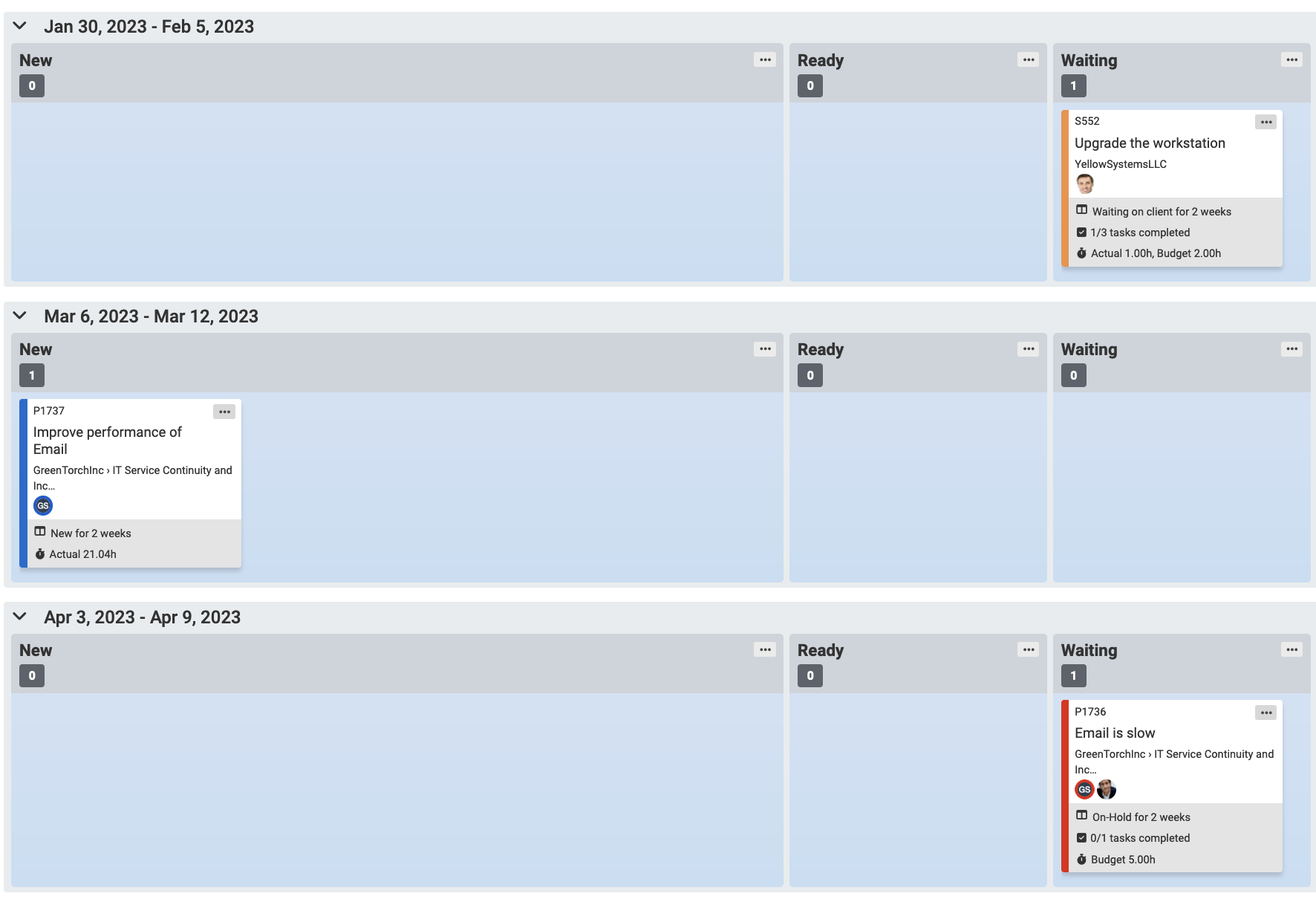
The new swimlanes are:
- ConnectWise tickets: estimated start date, due date
- Autotask project tasks: start date, end date
- Autotask service tickets: due date
The rest of the improvements are for Autotask.
Autotask project department visualization
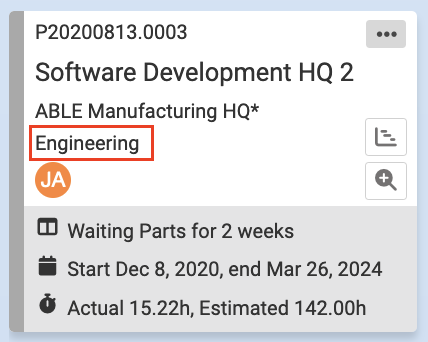
For Autotask project boards, now you can show the project department on the card.
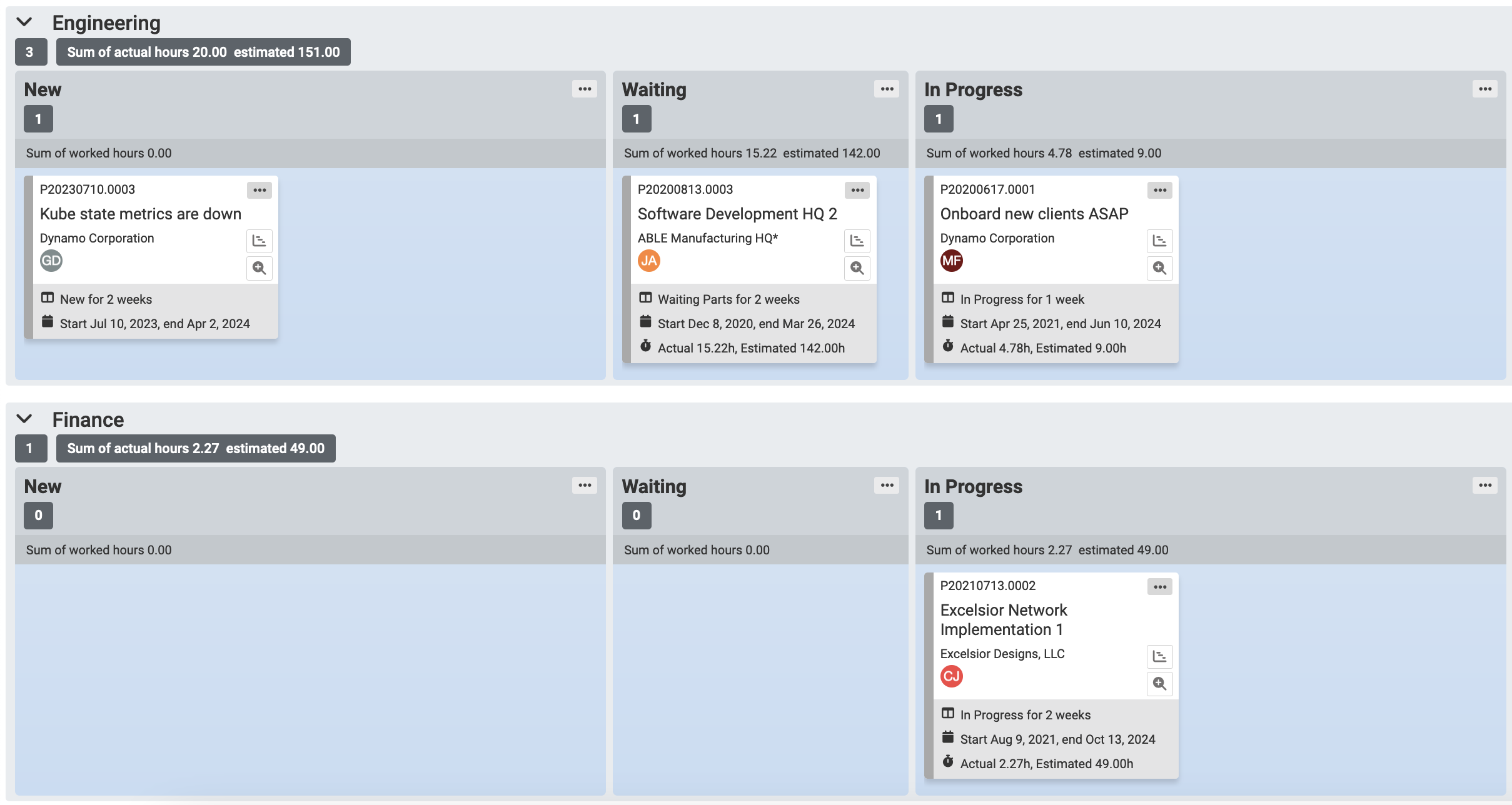
You can also group projects by department- just set the board's swimlane option to Department.
Queue filter for Autotask ticket boards
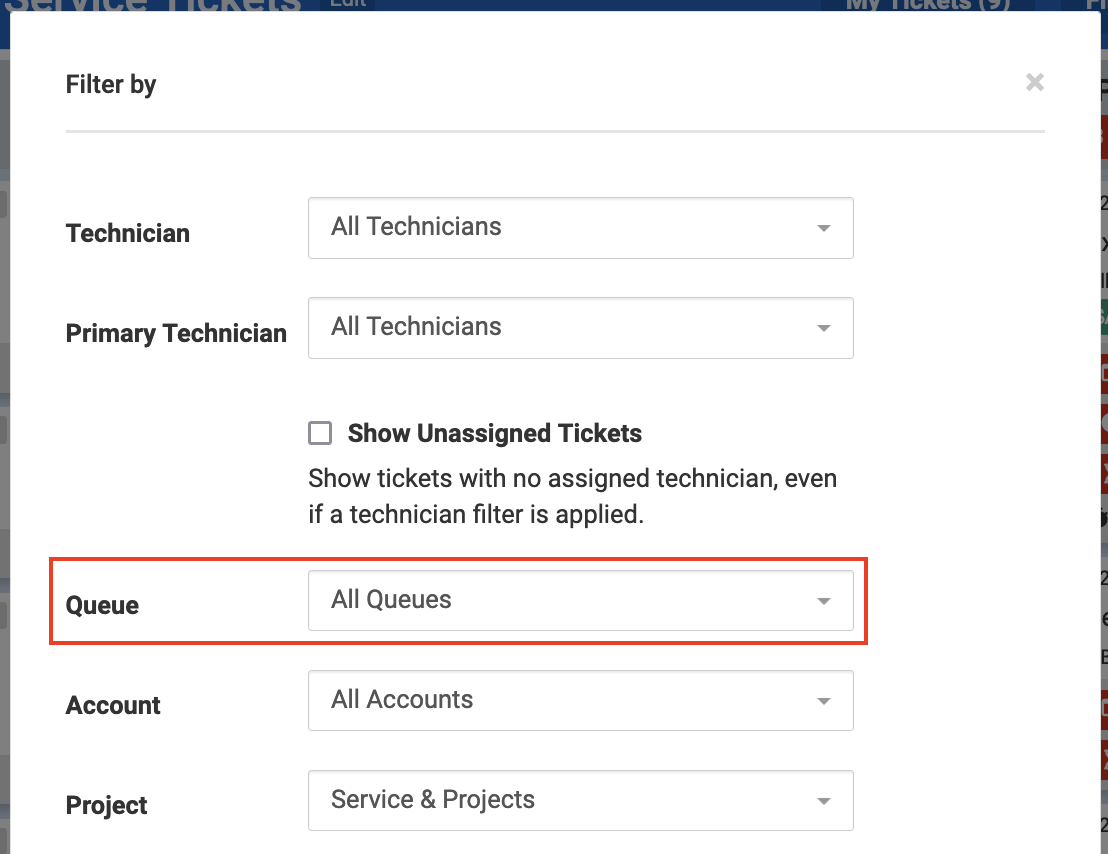
On Autotask ticket boards, now you can easily filter for tickets on a single queue.
Task department filter for Autotask ticket+task boards
We've introduced an early version of Autotask ticket+task boards, which show service tickets and task boards on a single Kanban board. We've added a filter that applies only to the tasks on the board (not the tickets), to include those that match your selected departments.
If you'd like access to the ticket+task board beta, send a message to help@topleft.team.
Comments
No comments yet.