
Improved Swimlane View for Your Tickets
We've improved swimlanes when technicians filter a board to show only their own work.
On a member swimlane board, which shows work grouped by the technician assigned to a ticket, you may have wanted to see only your own work by clicking the "My Tickets" button. Then you would have seen your own work, but it would have still been in a swimlane:
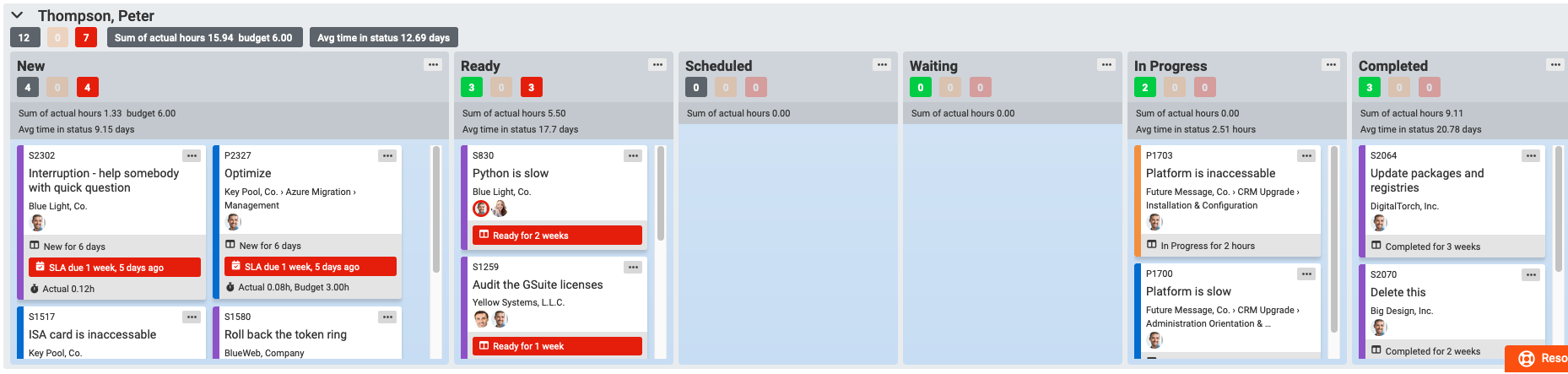
This is useful but the number of cards in the view was limited by the height of the swimlane. It didn't use the whole window to show cards. For this reason, we have previously recommended the use of a separate Kanban board without swimlanes so that technicians could see their tickets in the full board view.
To make it easier to get the full board view for a single technician's tickets, a board with member swimlanes will now appear without swimlanes when the user filters the board to show only his or her own tickets.
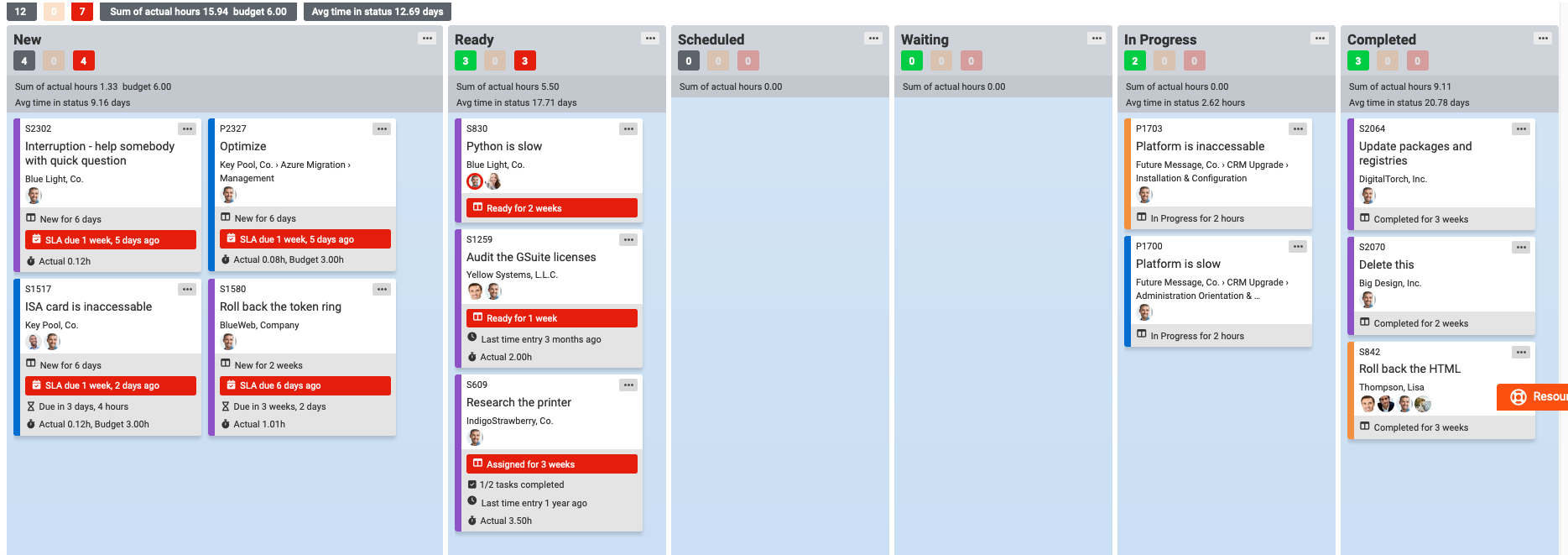
This is the same view the technician would get on a board without swimlanes, eliminating redundant information on the screen and allowing more cards to appear in the window.
If you created Kanban boards without swimlanes just so technicians could see their own work using the whole window, you can consider removing those redundant boards.
This change applies only in the following cases:
- The board has swimlanes that group cards by the assigned member. (For example this doesn't apply on a Company swimlane board.)
- The user filters the cards to show his or her own work. (It doesn't apply when filtering for someone else's work.)
Comments
No comments yet.