
Project Health Report
We are thrilled to introduce the Project Health report.
TopLeft's Project Health report helps project managers identify the problems in a project portfolio and in individual projects and recommends how to fix those problems. It's built from the data you already keep in your PSA.
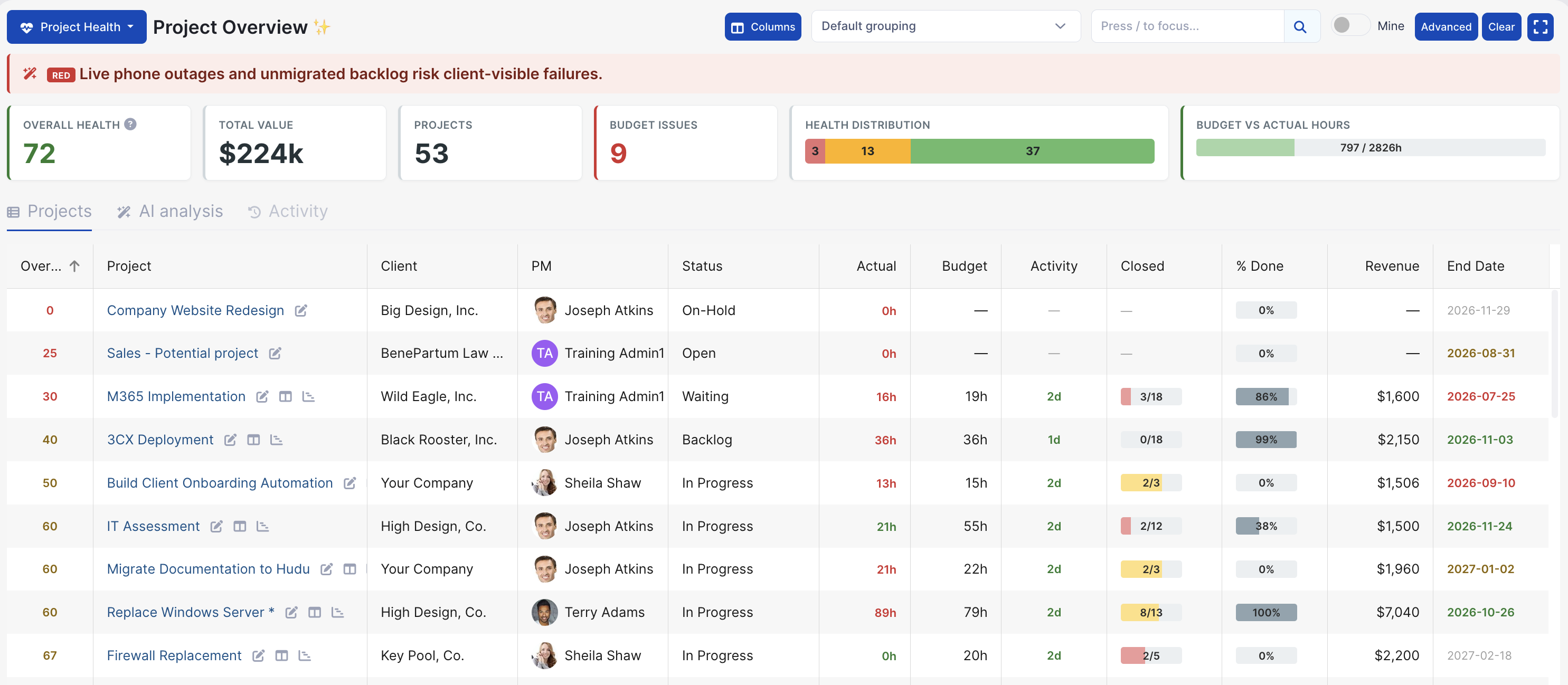
The Project Health report is a new view alongside the board, Gantt, and capacity planning views. At the moment it is available by request. Email help@topleft.team to get access. When the report is generally available, it will be part of the manager license.
The report categorizes projects into three categories- green, amber, or red, depending on the level of concern about the project performance related to six signals: schedule, budget, activity, margin, milestones, and completion.
It includes a score out of 100 for the overall performance of the portfolio, as well as evaluations for each individual project so you know which are the most at-risk projects that need extra attention.
Project Health reports progress for projects over a 7 day period, either improved or not, so you can see how effective your project management techniques are.
Furthermore, the report breaks down project margins so it's easy to understand the profitability of your projects.
AI Tools
This report is TopLeft's first feature to use AI. AI performs the project review function and provides written descriptions of what's good, bad, and ugly about the portfolio and each project. It includes specific recommendations for project-related individuals.
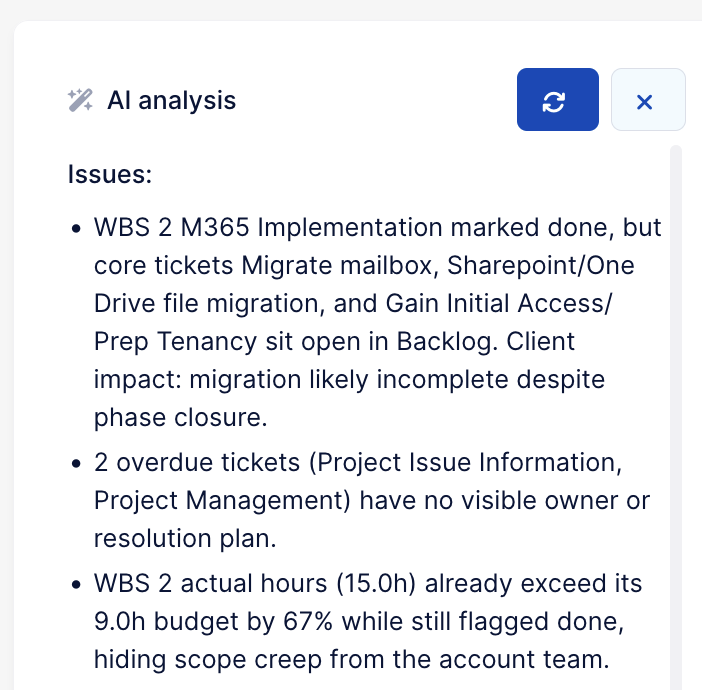
AI tools are disabled by default in TopLeft. To enable AI, go to Settings > AI and click Enable AI. You can customize the data sent to Anthropic or OpenAI services, including whether or not to send names of people working on projects. We always use Zero Data Retention options- no data is ever retained by LLM providers.
Comments
No comments yet.