
Keyboard Shortcuts and Editor Improvements
We've improved functionality around keyboard shortcuts and saving records in the editing screen, so you can work a little bit faster. Maybe a lot faster. You gotta try it and see for yourself.
Keyboard shortcuts are offered in two places:
In the board view, there are now are shortcuts for opening the editor to specific tabs, opening the record in your PSA, and opening records in new windows. To see the full list of shortcuts, click the question mark icon in the main menu, then click Keyboard Shortcuts.
In the editor view, there are now shortcuts for navigating to particular tabs, focusing certain fields, moving focus to the next required field in a form, saving the form being edited, and more. To see the full list, click the keyboard icon in the editor.

When making changes to a record in the editor, if you begin to close the editor when there are unsaved changes you are now shown this prompt:
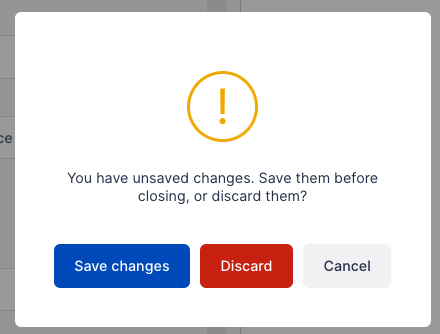
This gives you a chance to easily save your changes and then close the prompt when the changes have been saved.
If you have other ideas about UI improvements, remember to submit them at https://announcements.topleft.team/ in the Feature Requests section.
Comments
No comments yet.