
Manage Configurations/Devices/Assets
Device configurations can now be viewed and managed in TopLeft! This makes it easy for technicians to remote into PCs and servers without leaving TopLeft, to associate configurations with tickets, and to view the configuration details.
The feature is available in the ticket editing pane and is labelled according to the name of the feature in your PSA: configurations (ConnectWise), Devices (Autotask), or Assets (HaloPSA).
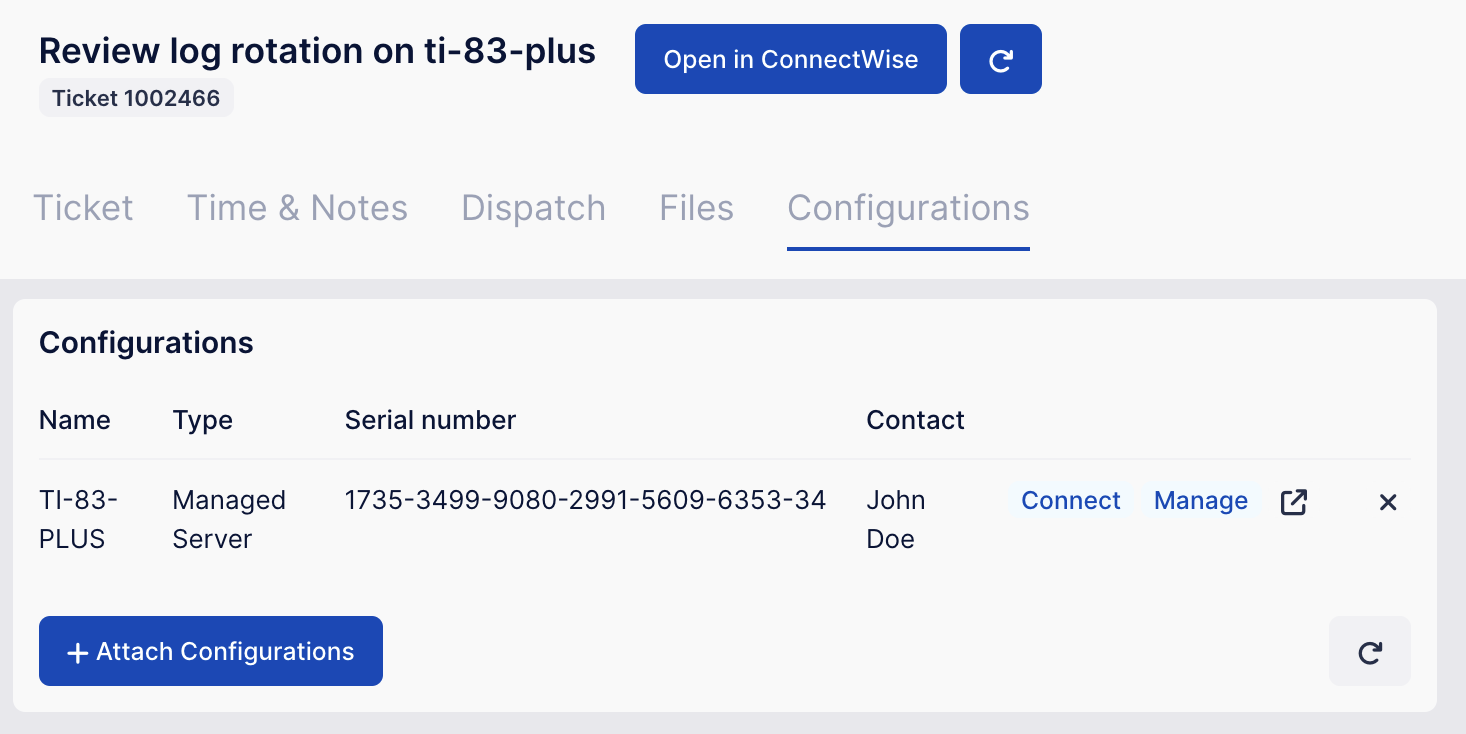
When viewing attached configurations, you can click Connect to connect to the device remotely, Manage to show it in your RMM app, and ⬈ to open the configuration in your PSA. (Buttons and labels vary between PSAs and integrated RMM apps.)
You can also search for configurations, attach a configuration to a ticket, or remove a configuration from a ticket.
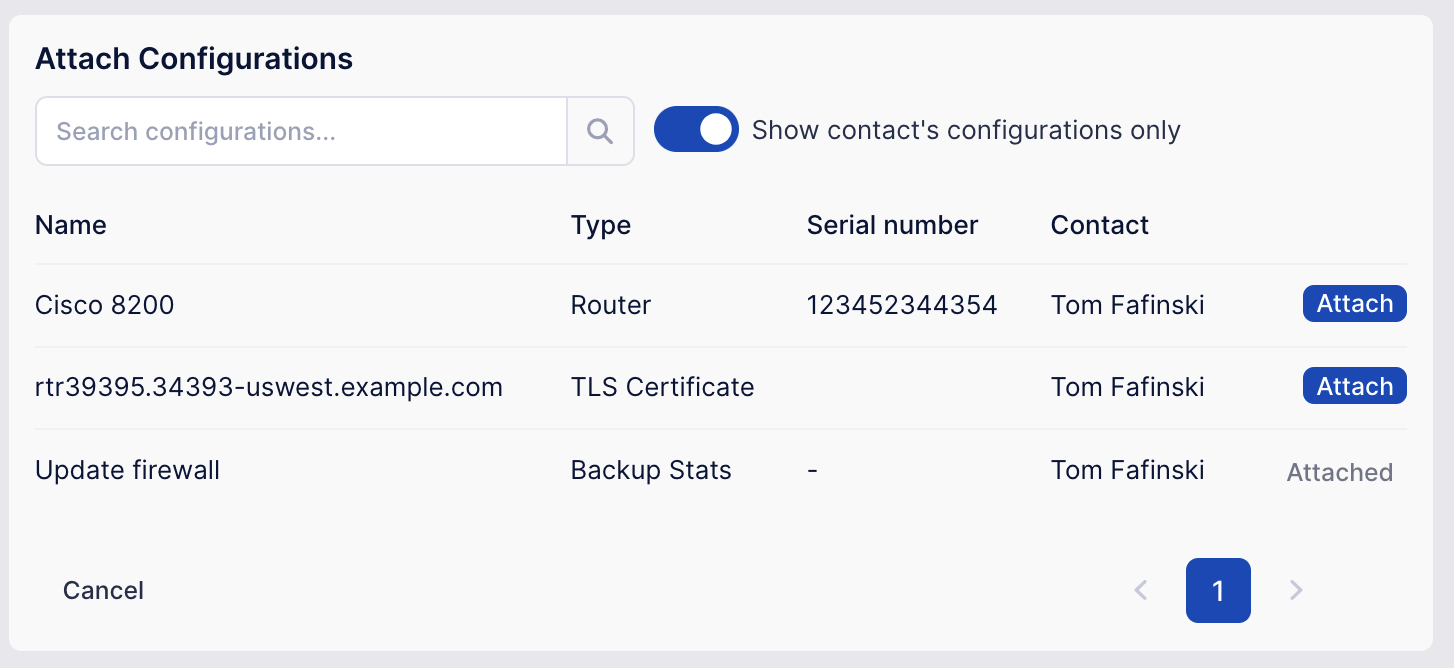
It's one less reason to return to your PSA to complete your work!
Comments
No comments yet.