
How to Enable “Time Entry on Drag” in TopLeft?
Make the time entry window open when a card is dragged into a chosen column.
🛠️ What is "Time Entry on Drag"?
The Time Entry on Drag feature prompts users to log their time when they move a card into a chosen column. It can also start a timer. It's useful for accurate time tracking with minimal manual steps.
🧭 How to Enable the Feature
To enable this setting on a board:
- Open your board in TopLeft.
- Click Board at the top left of the board, then Edit this view.
- Open the Workflow tab.
- Find the stage (column) where moving a card should prompt for time, for example Done.
- Under Time, set On drag to this column to one of:
- Open time entry: the time entry window opens.
- Start timer: a timer starts on the card.
- Start timer and open time entry: both.
- Nothing: the default.
- Click Save.
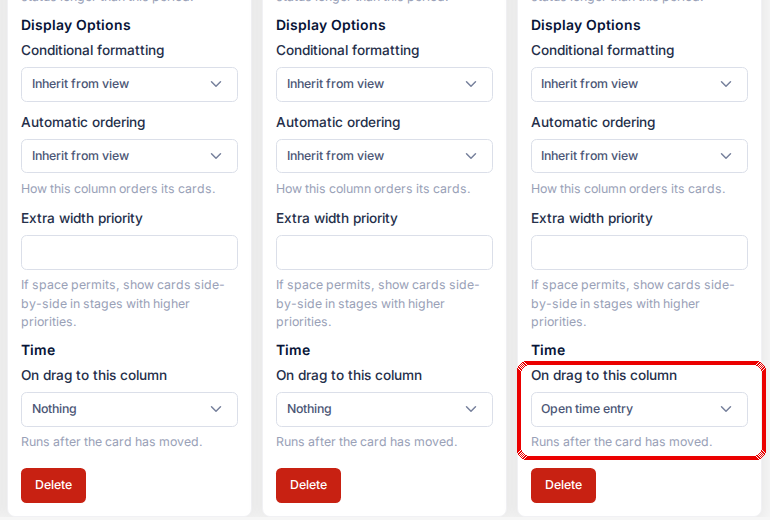
Once enabled, every time a card is dragged into this column, the action runs after the card has moved. The setting shows only when your PSA's timer is available.
Updated October 6, 2026
Comments
No comments yet.