
Select Administrative Users
Administrators can give other users administrative privileges to create and edit boards, make changes from the Settings page, and update the TopLeft subscription.
To manage administrators, follow these steps.
- Click the gear icon at the top right, then All Settings. Under Users, click Administrators.
- To make someone an administrator, pick their name in the Administrators field. To remove someone, click the x on their name.
- Click Save. Permissions are updated.
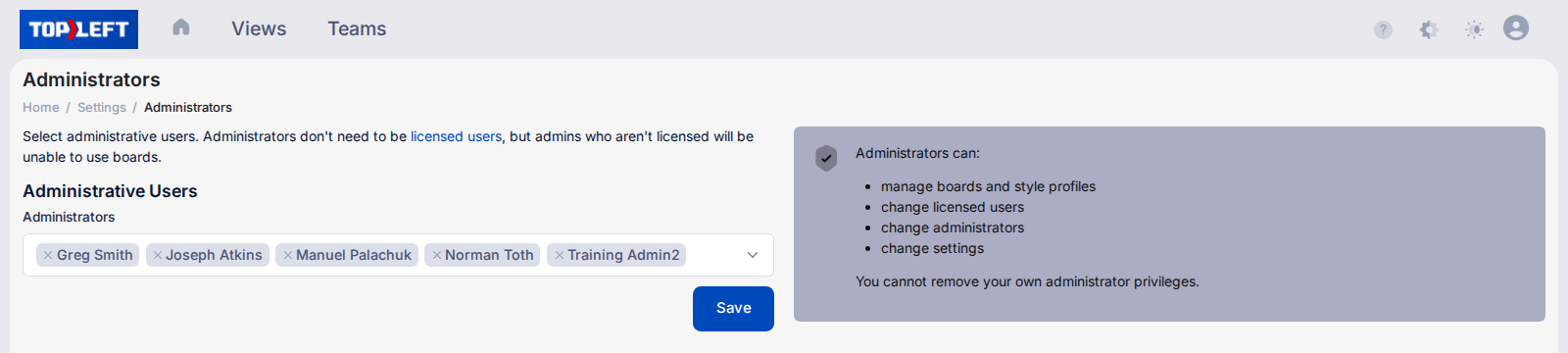
Administrators don't need a license, but an administrator without one can't use boards. You can't remove your own administrator privileges.
New administrators will receive an email explaining their new privileges as well as a series of emails explaining best practices for managing Kanban boards.
Updated October 6, 2026
Comments
No comments yet.