
Restrict TopLeft's Access to ConnectWise Boards
You can restrict TopLeft from having access to some boards within ConnectWise. Using the "Restrict Board Access" option will stop TopLeft from having any data about a board, blocking it from syncing any statuses or tickets from it. This can be used for cases such as stopping TopLeft admins from accessing data from ConnectWise through TopLeft if they don't have access to those boards in ConnectWise.
Restrict Access for Service Boards
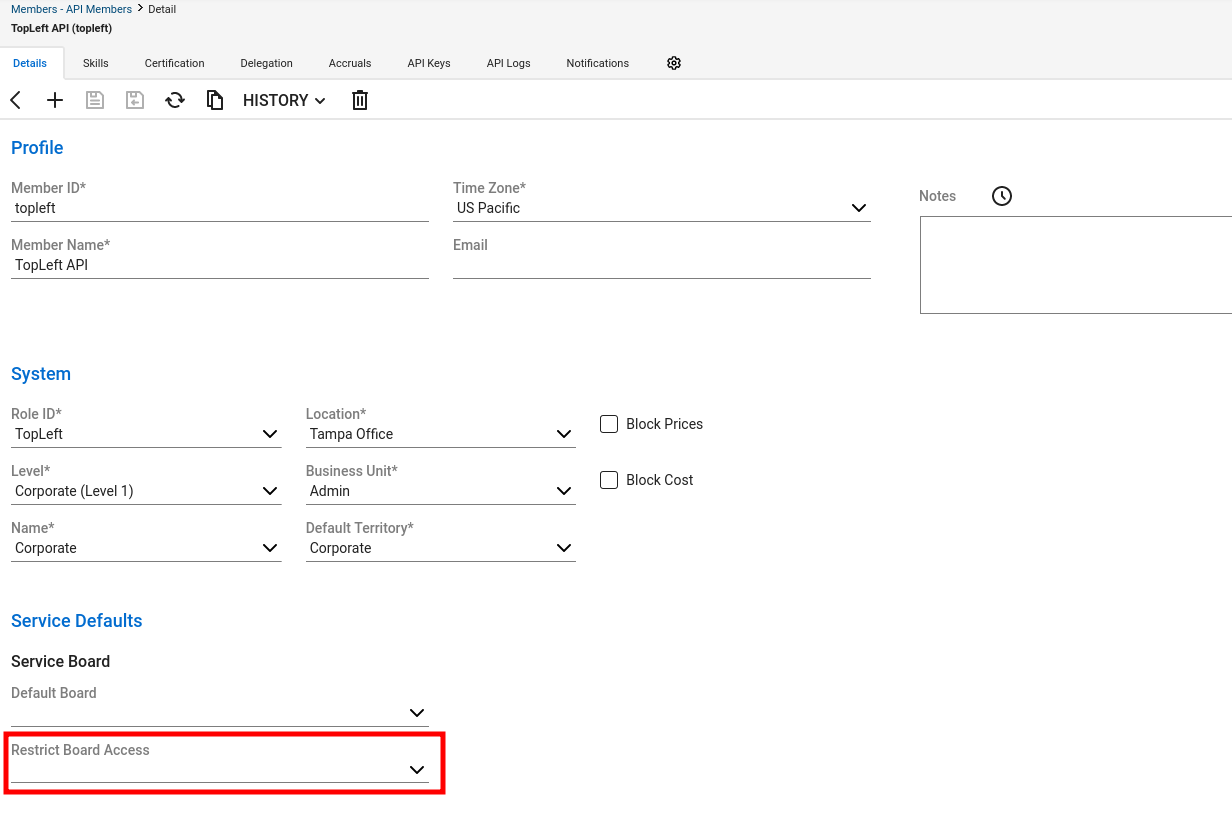
This option is in System > Members > API members tab > TopLeft API member. The "Restrict Board Access" at the bottom of the first page of the member's settings. Select the boards you don't want TopLeft to have access to- this drop-down excludes boards that are selected. Save the member and then TopLeft will remove that boards data by the next sync. You can also force a sync immediately in TopLeft.
 Restrict Access for Project Boards
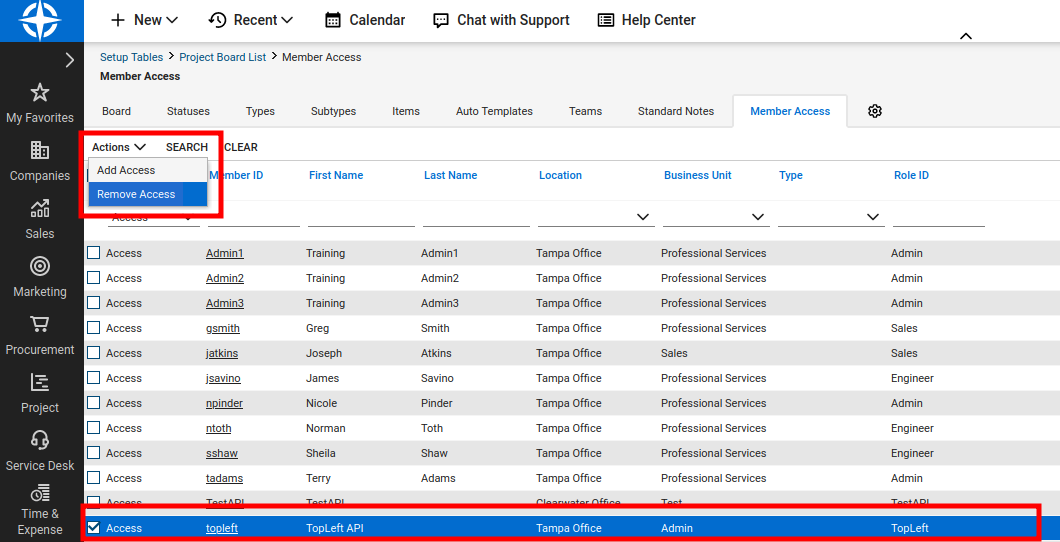
The process for project boards is slightly more complicated: In ConnectWise go to System > Setup Tables > Project Boards > {selected board} > Member Access Tab
Then select the checkbox on the API member, go to the Actions dropdown and click "Remove access".
Updated September 23, 2026
Comments
No comments yet.