
View Ticket Attachments
Legacy interface
Tickets and tasks in a PSA can have documents attached. These can be from automated sources, such as voicemail recordings from a phone system or emails from the closed-loop system, or design docs or screenshots attached manually by technicians, managers, or clients.
You can view documents attached to tickets and tasks in TopLeft by following these steps.
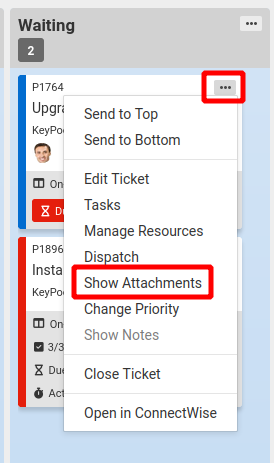
- On the card, click the context menu (... menu). Then click Show Attachments.
- The attachments on the ticket or task are shown.
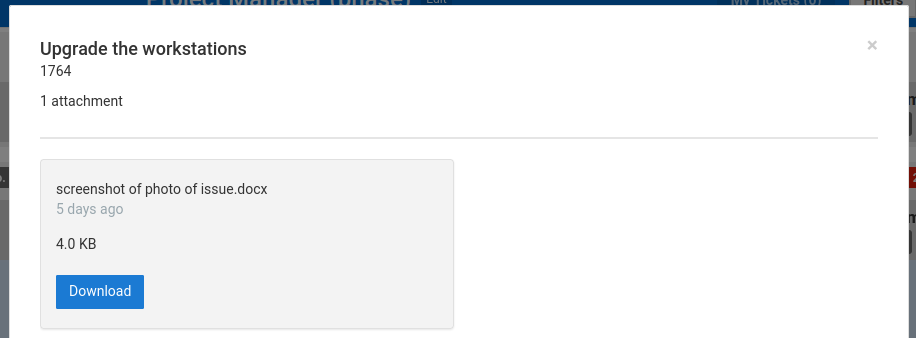
To download the file to your computer, click Download.
Updated September 23, 2026