
Configure Ticket Callouts for Autotask
Legacy interface
To keep tickets up-to-date in TopLeft when a change is made in Autotask, configure ticket callouts. With callouts, tickets are updated in TopLeft moments after they are updated in Autotask, rather than waiting up to 5 minutes for the next sync.
There are two main stages for setting up Callouts, known in Autotask as "Extension Callouts":
- Set up an Extention Callout
- Set up a Workflow Rule
Set up an Extension Callout
1. Open 'Extensions & Integrations' from the Admin submenu in the top left of Autotask.
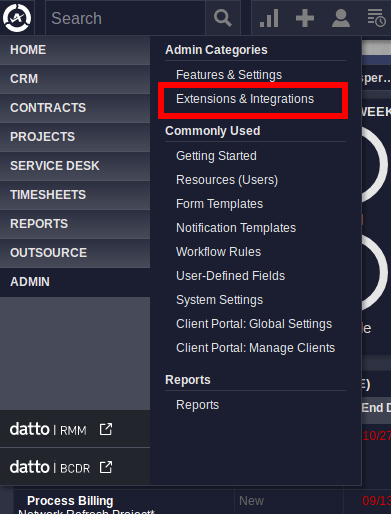
2. Under the "OTHER EXTENSIONS & TOOLS" heading, open Extension Callout (Tickets)
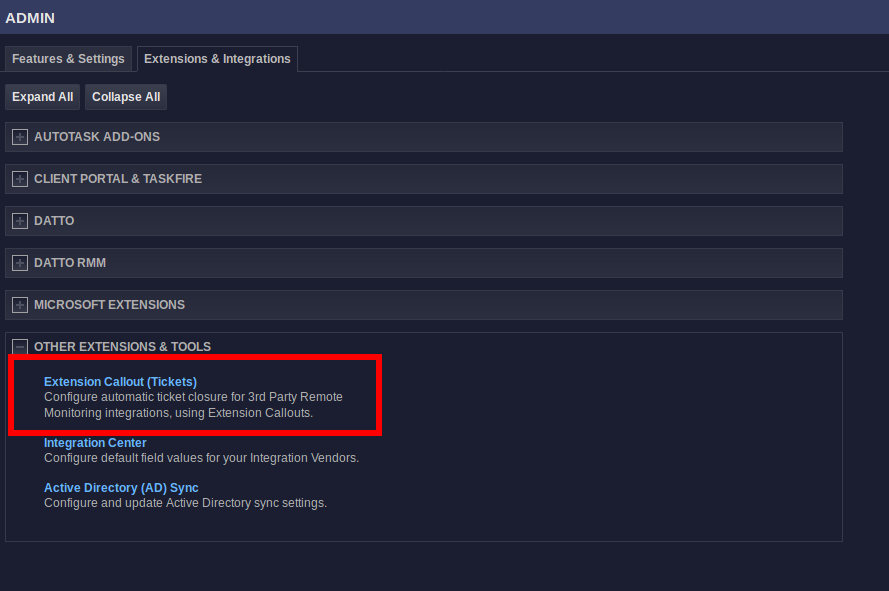
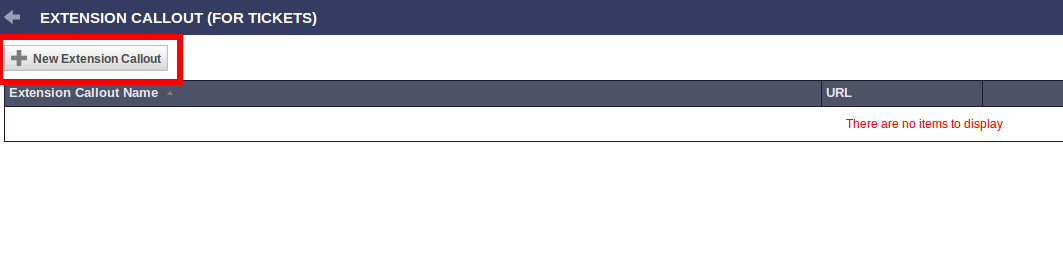
3. Click "New Extension Callout".
 4. Set up the Extension callout as specified here:
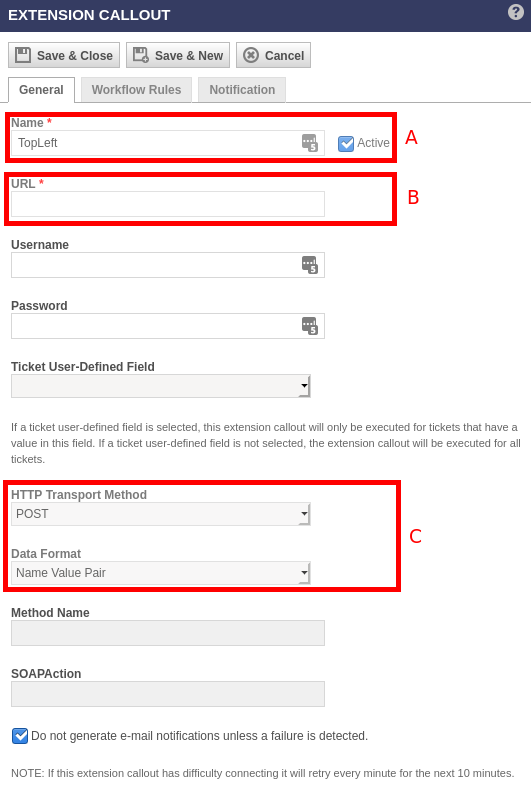
A - Name the callout. We suggest naming it "TopLeft callout".
B - To find the callout URL, in TopLeft navigate to Admin > Ticket Callouts. The URL is listed on the page.
C - Set the "HTTP Transport Method" as "POST" and the "Data Format" as "Name Value Pair"
5. Save and close the Extension callout.
Set up a Workflow Rule
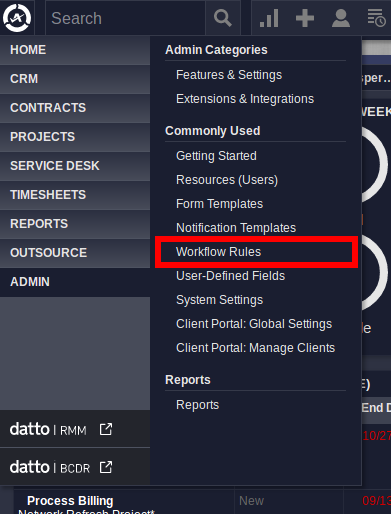
1. Open "Workflow Rules" from the Admin submenu in the top left of Autotask.
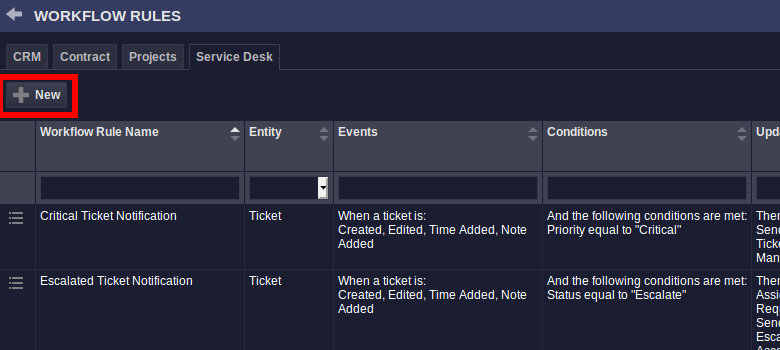
2. Click "New" to create a new Workflow Rule
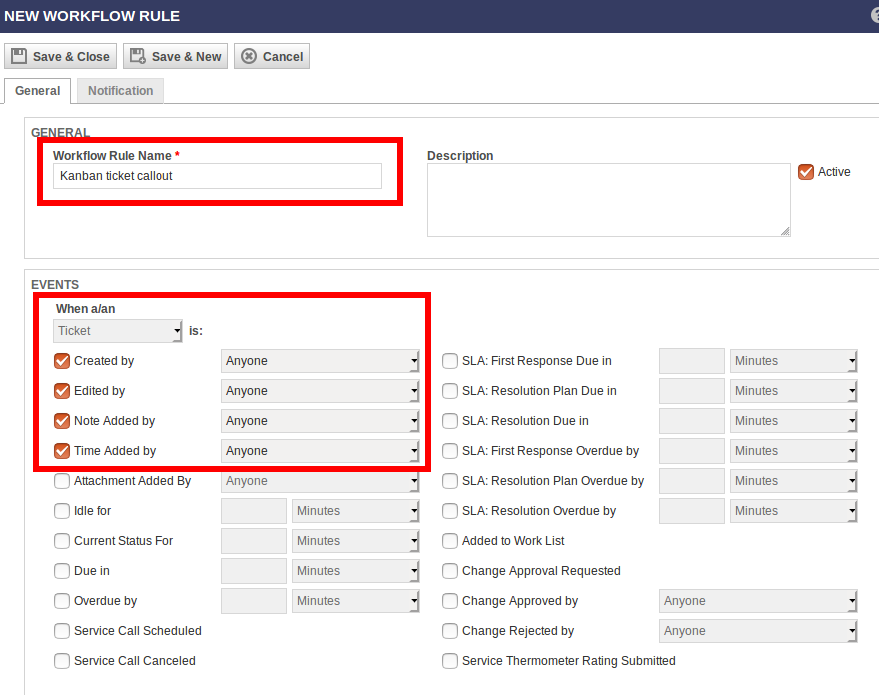
2. Name the rule. We suggest naming it "TopLeft callout rule". And set up the events as shown here:
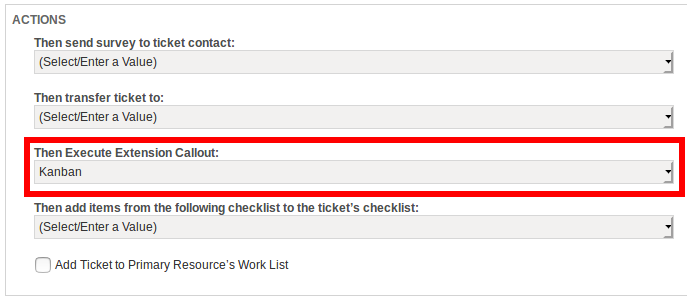
3. Scroll down to the bottom of the workflow rule creation, and select the extension callout you just created in the "Then Execute Extension Callout" dropdown.
4. Save and close the new Workflow rule
Updated September 23, 2026