
Select Licensed Users
How licenses decide who can use boards and whose work they see, and how to assign them.
Licensing affects two things in TopLeft:
- Which users can view and use Kanban boards. To view or interact with a board, a user must be licensed.
- Which work is shown on the Kanban boards:
- Users who have an Engineer or Viewer license can see work (a ticket, task, project, etc.) that is assigned a user with a TopLeft license or is unassigned. Users with an Engineer or Viewer license do not see work assigned to a member who is not licensed in TopLeft.
- Users who have a Manager license can see work assigned to anyone, even members who don't have a TopLeft license.
You can change how licenses are assigned to users at any time. You can also upgrade or downgrade the number of licenses.
Select Licensed Users
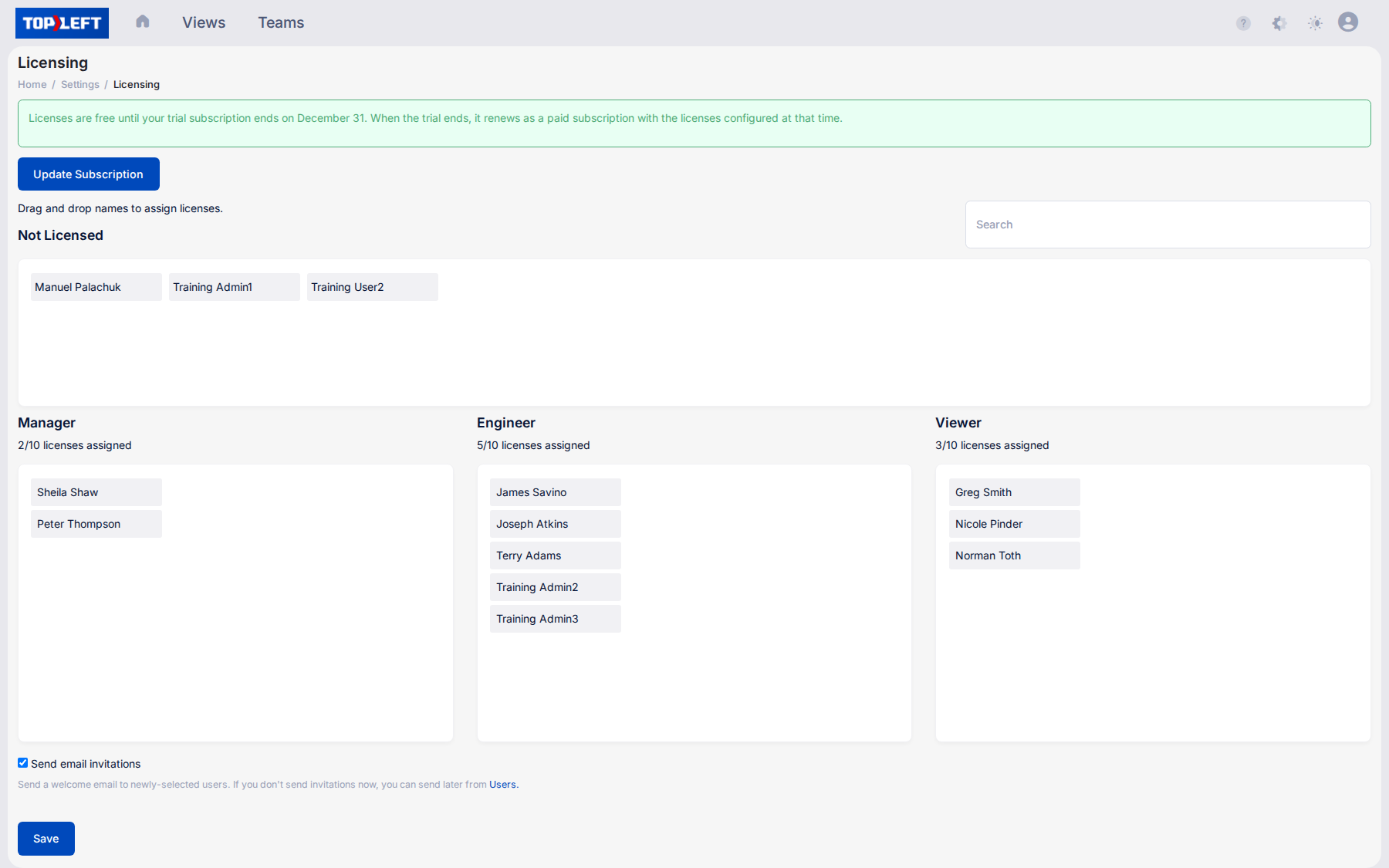
To manage licensed users, do the following:
- Click the gear icon at the top right, then Licensing.
- To assign a license to a user, drag the name of the user to the section for the desired license tier. You can drag names between tiers, or drag back to the Not Licensed section to remove a user's license.
- To send an email invitation to newly-selected users, select "Send email invitations". This invites the users and sends them a series of email messages about how to make the best use of TopLeft. If you don't send users invitations now, you can send the invitations from the Users page later.
- Click Save. Changes are applied immediately to a user's license tier.
About Unlicensed Users
Users in your PSA who are not licensed can log into TopLeft, but cannot view or interact with boards. Work assigned to them will not be shown to users who have an Engineer or Viewer license.
Updated October 6, 2026
Comments
No comments yet.